
The production schedule that builds itself.
Outlay turns demand and master data into a schedule planned against the machines, people and constraints you really have, then costs every run live against standard.
A Libra Europe product
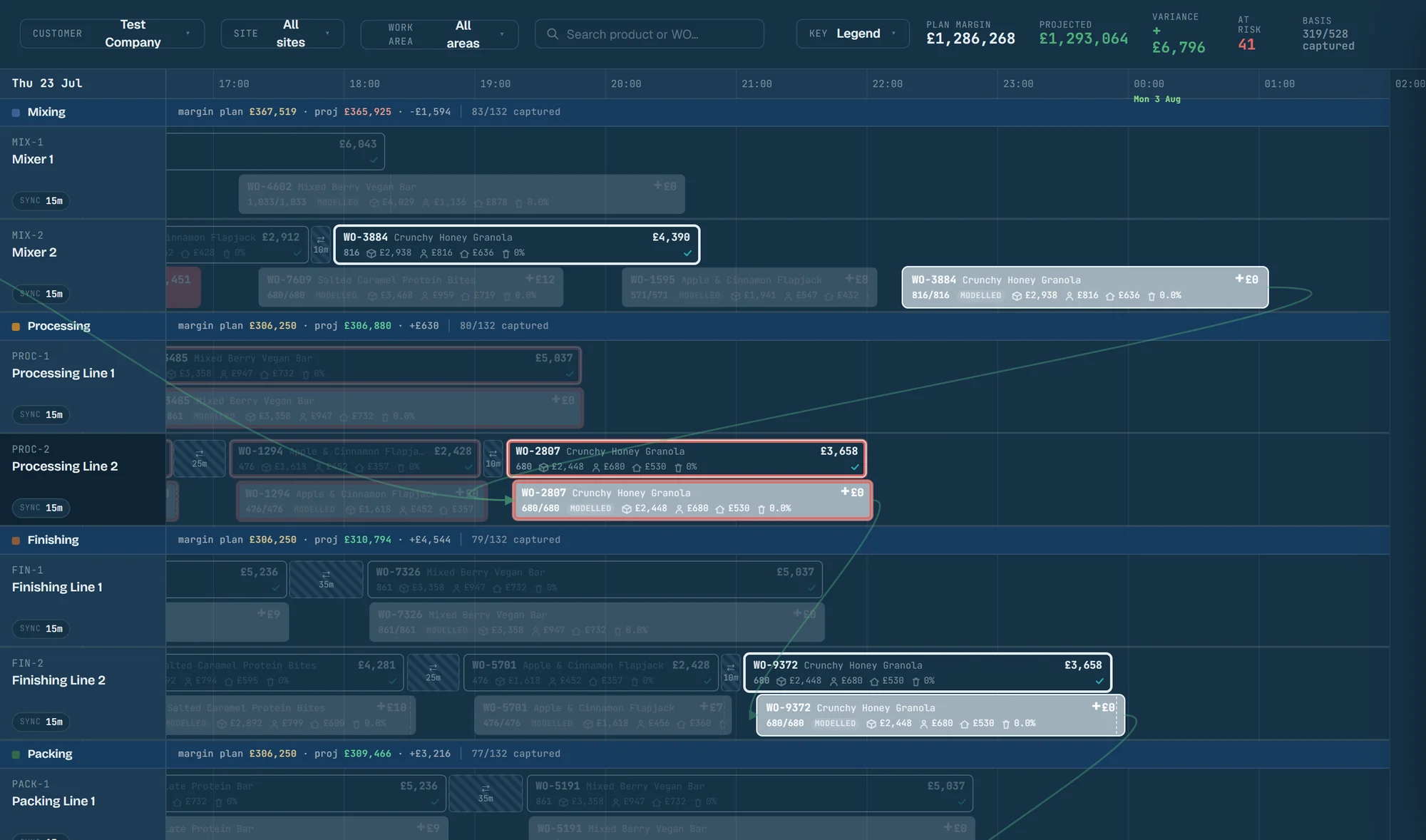
From reviewed data to a schedule in one action.
The planner checks the data. Outlay does the arithmetic of who and what can run where, and when.
- 1
Load demand and master data
Items, recipes, routes, resources and demand come in from your systems or a spreadsheet, each record showing its source and what is missing.
- 2
Generate the schedule
Outlay plans every operation against finite machine time and qualified labour, with changeovers, allergens and material feeds as hard rules.
- 3
Run it in the cockpit
Plan and actual sit side by side on one Gantt, and any run lights up the chain it depends on and the work it feeds.
- 4
Let the floor re-cost it
Each reading from the line re-derives the run's projected cost and margin against standard while the shift is still going.
A day's schedule, built and then rebuilt.
Step 1 of 4: Runs drop into their lines.
Each work order takes the first slot where its machine, its crew and the run feeding it are ready.
The rest of the plant, on the same model.
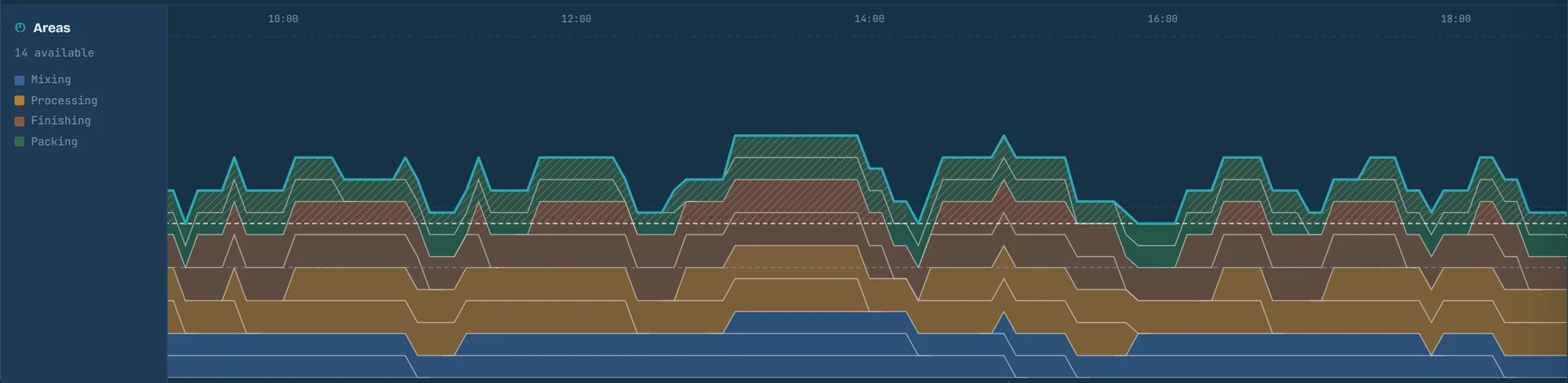
Crew needed, run by run
Each block is one production run, as tall as its crew and as long as it runs, stacked by area against the staffing you have, so a shortage shows before the shift.
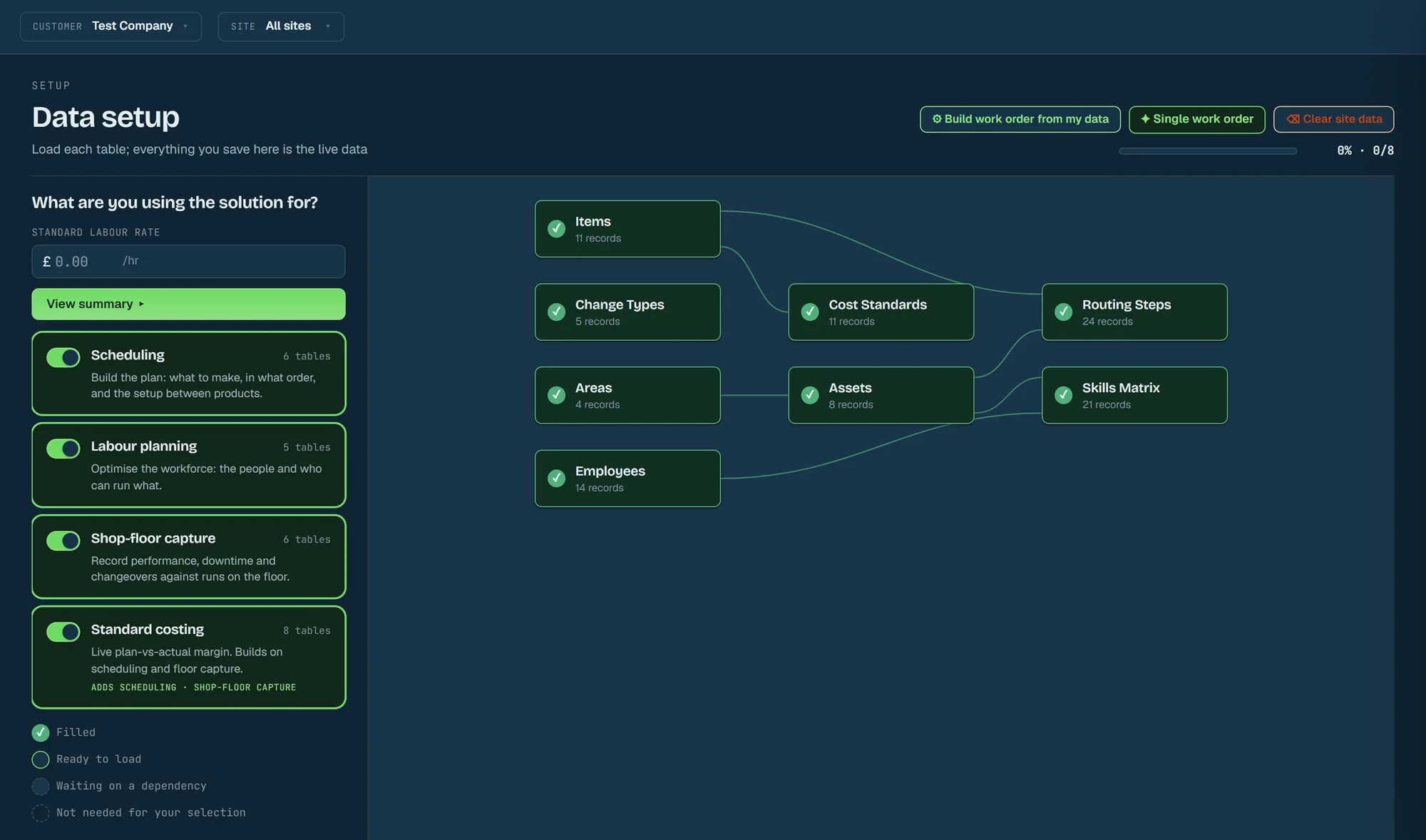
Every table the plan needs
Pick what you will use Outlay for and the setup shows the tables that takes, how they depend on each other, and which are already filled.
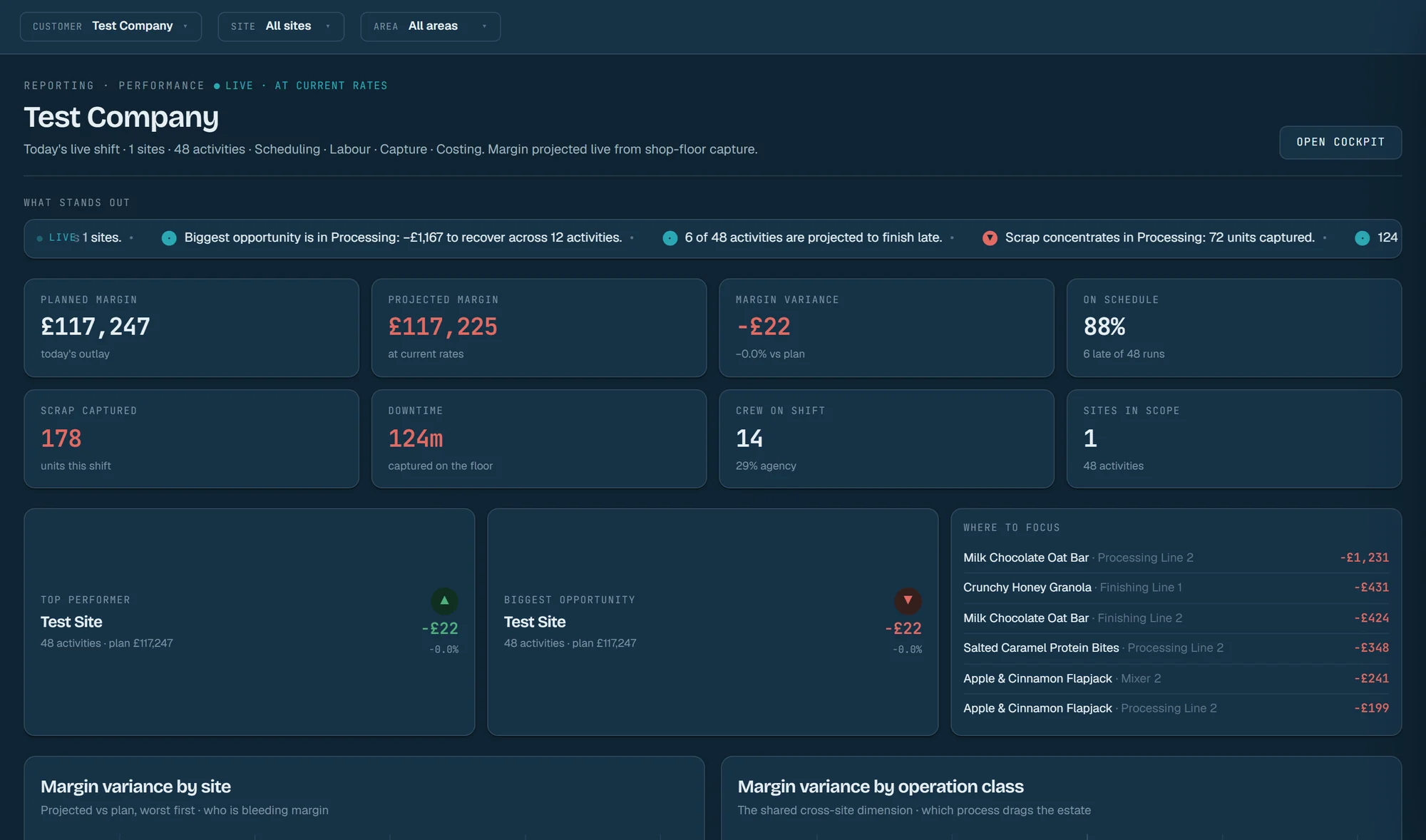
Margin by site and operation, live
Planned against projected margin, schedule, scrap, downtime and crew for the whole estate, with the biggest opportunity named and a list of where to look first.
A slow oven shows up in the cockpit while the shift still has time to recover it.
Questions planners ask before they trust it.
Does Outlay replace our ERP?
Is the schedule optimal?
Our master data is incomplete. Can we still start?
Is the margin real or estimated?
What happens when a line breaks down?
Who sets it up?
One Outlay model of work, people and cost, in three products.
One Outlay model of work, people and cost, in three products: Outlay schedules a factory, Outlay Labour plans its labour hour by hour, and Outlay 3PL plans and runs a warehouse's shifts.
Outlay
Production scheduling
Turns demand and master data into a production schedule planned against real machine and labour capacity, then costs every run live against standard.
You are on the Outlay site
Outlay Labour
Labour planning by the hour
Turns forecast volumes into the heads each area needs through the day and sets them against the team on shift, so agency covers only what is left.
Visit the Outlay Labour siteOutlay 3PL
Warehouse shift planning
Turns the waves your WMS releases and the team on shift into a labour plan for every shift of the week, and shows the shift live on a map of the site.
Visit the Outlay 3PL site
See your own plant scheduled in Outlay.
Talk to Libra about loading your master data and generating a schedule against the machines, people and standards you actually have.
Talk to Libra about Outlay
Tell us how you plan today, and we will show you the product and what it would need from you.